The original Supertrend indicator
Supertrend is a popular trend-following indicator on TradingView. It uses Average True Range (ATR) to plot a line below the price in an uptrend and above it in a downtrend.
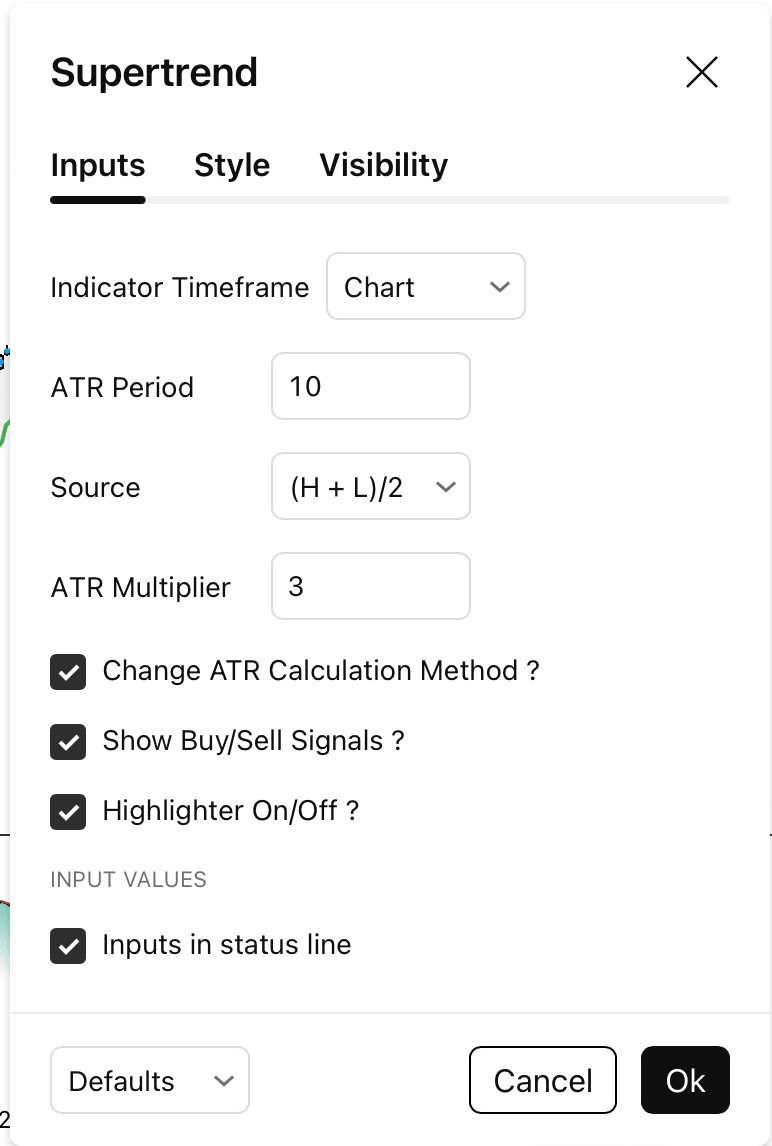
When the direction changes, the original indicator shows a Buy or Sell signal. In the version I used, the default settings were ATR period 10, ATR multiplier 3, and HL2 as the source.
View the original SuperTrend indicator by KivancOzbilgic on TradingView
What was the expected modification?
The idea was to make TradingView place strategy orders whenever Supertrend produced a new signal, instead of only showing Buy and Sell labels.
- Buy signal: close an existing short and enter a long.
- Sell signal: close an existing long and enter a short.
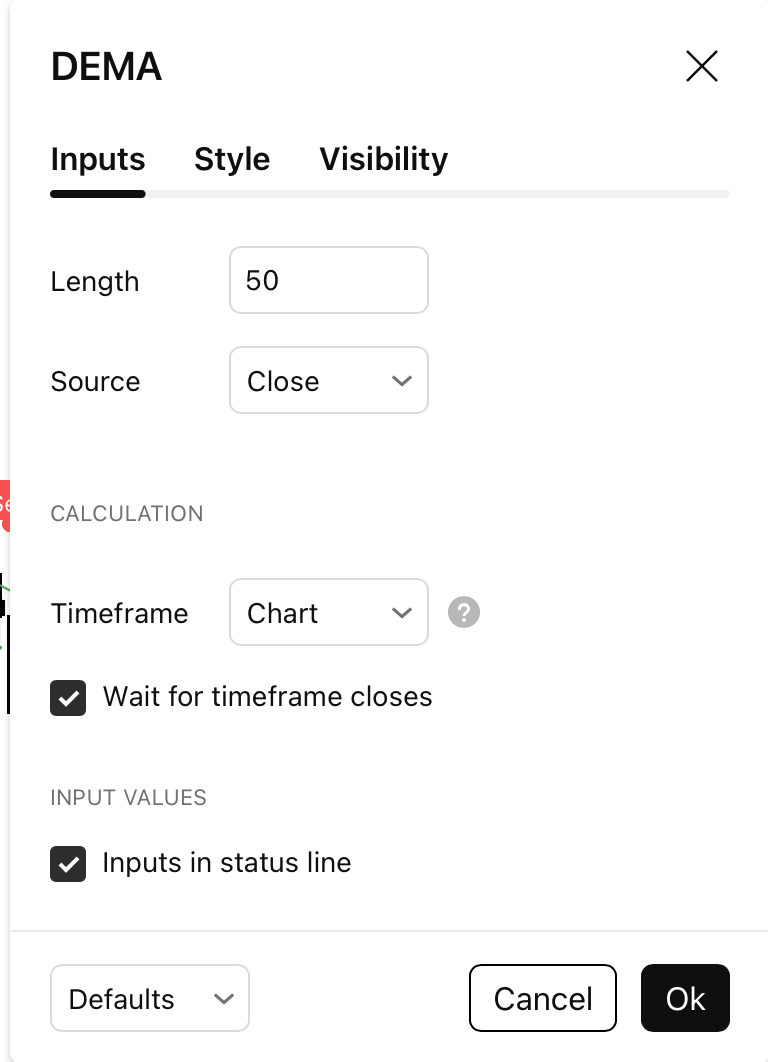
- Use a 50-period DEMA as the default Supertrend source.
- Calculate the signals on the 1-hour timeframe by default.
So when the direction changes, the strategy reverses the position. It doesn't hold a long and a short at the same time.
What I changed
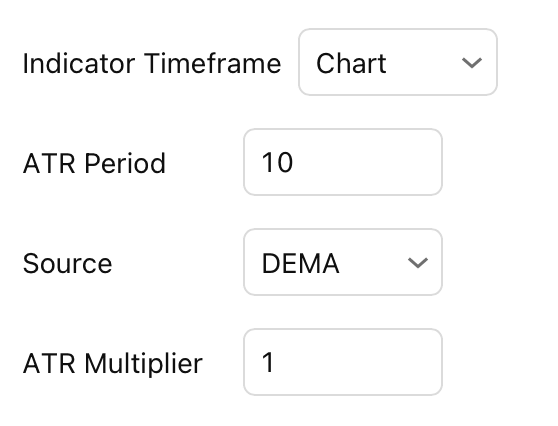
I converted Supertrend from an indicator into a TradingView strategy and added a source picker. DEMA(50) is selected by default, but Close, HL2, HLC3 and OHLC4 are also available.
I then connected the trend changes to strategy entries. A Buy switches to a long position, and a Sell switches to a short position. The signal timeframe can also be selected independently, with 1 hour as the default.
| Setting | Original | Modified version |
|---|---|---|
| Script | Indicator | Trading strategy |
| ATR period | 10 | 10 |
| ATR multiplier | 3 | 1 |
| Source | HL2 | DEMA(50) — Close |
| Timeframe | Chart | 1 hour by default |
| On a new signal | Buy/Sell label | Position reversal + label |
The new Supertrend + DEMA strategy
The new version can open simulated long and short trades directly in TradingView's Strategy Tester. It also lets you switch the Supertrend source and adjust the ATR settings without changing the code.
The default configuration uses the 1-hour signal timeframe, ATR period 10, multiplier 1, and DEMA(50). An opposite signal reverses the current position.
Download the full script for free
Download the complete Supertrend + DEMA Reversal Strategy.
Download free Pine Script ↓Having issues with installation, chart configuration, or anything else related to the script? Feel free to contact me.